HTML Export
Export your story as a self-contained playable bundle that runs in any modern web browser. Story logic, layout, saved progress, and any audio or images you’ve added all travel with the export, so the game plays fully offline.
Features
The exported HTML file includes everything needed for a complete reading experience:
- Full story playback with scenes, choices, variables, conditions, and effects. The exported file uses the same Storyfall game engine as single-player web play.
- Keyboard shortcuts number the first nine choices on screen. On a desktop keyboard, press the matching number key to pick a choice. The numbers are hidden on touch screens.
- Typewriter reveals scene text and choices one character at a time. Choices appear only after the scene text finishes, so they never pop in early. Readers can click the reading area to skip the animation, and a “Typewriter” toggle in the settings drawer turns it off for instant text. It works with or without narration; when a scene is narrated the text reveal follows the voice.
- Player name collection when your story asks readers for a name before play.
- Text variations from the editor, including random, random once, cycle, and named cycle text.
- Visual Novel scenes with backgrounds, sprites, click-through dialogue lines, and choices overlaid on the scene background. Ending and dead-end sections stay below the scene.
- Dark mode with a built-in toggle for reader preference.
- Save and resume using the browser’s localStorage. Saved progress is tied to the exported story version and content snapshot, so readers are not prompted to resume saves from a different export. Readers can choose Restart Story from the settings drawer, then confirm before the export clears current progress and returns to the beginning.
- Variable notifications displayed as toast messages when values change.
- Achievement unlocks from Award Achievement effects, saved locally with the exported playthrough.
- Bundled audio and images travel with the export. When your story references any audio (background music, sound effects, narration) or any image (cover, scene images, Visual Novel backgrounds and sprites, character or NPC portraits), the export is a
.zipcontainingindex.htmlplus amedia/folder. Open the unzipped folder and the game plays fully offline. - Background music loops per scene, with volume, fade-in, fade-out, and an autoplay gesture for browsers that block autoplay.
- Sound effects from
play_soundeffects, inline sound-effect nodes placed in scene text, and audio attached to message blocks, all played from the bundledmedia/folder with their saved volume and fade settings. - Narration plays scene by scene and then reads each visible choice aloud, with background-music ducking. The exported game includes narration only when there is playable scene or choice audio for that language. Voice setup without generated, recorded, or uploaded audio stays in your JSON backup, but it is not embedded in playable HTML until audio exists. A narration bar above the scene gives readers a play/pause button and a progress slider they can drag to skip ahead or rewind. The settings drawer adds a Narration toggle and a Narration Volume slider when playable narration is present.
- Translations ship with the export. Readers can switch language from the settings drawer at any time; the current scene re-renders without a network call. Engine settings labels (Background Audio, Sound Effects, Narration, Volume, Language) are translated for English, Spanish, French, German, Portuguese, Italian, Japanese, and Chinese.
- Settings drawer opens from a gear icon in the control row above the title, alongside the undo, save, and dark-mode buttons. Toggles and sliders persist in the browser per story, Restart Story opens a confirmation modal, and clicking outside the drawer closes it.
- Mobile-friendly responsive layout that works on phones, tablets, and desktops.
- No app dependency - a single .html file or a self-contained .zip with embedded story logic, UI, and media.
How to Export
- Open the Export tab in Story Settings, or click the ellipsis on a story row in the Workshop.
- Click “Export as HTML”.
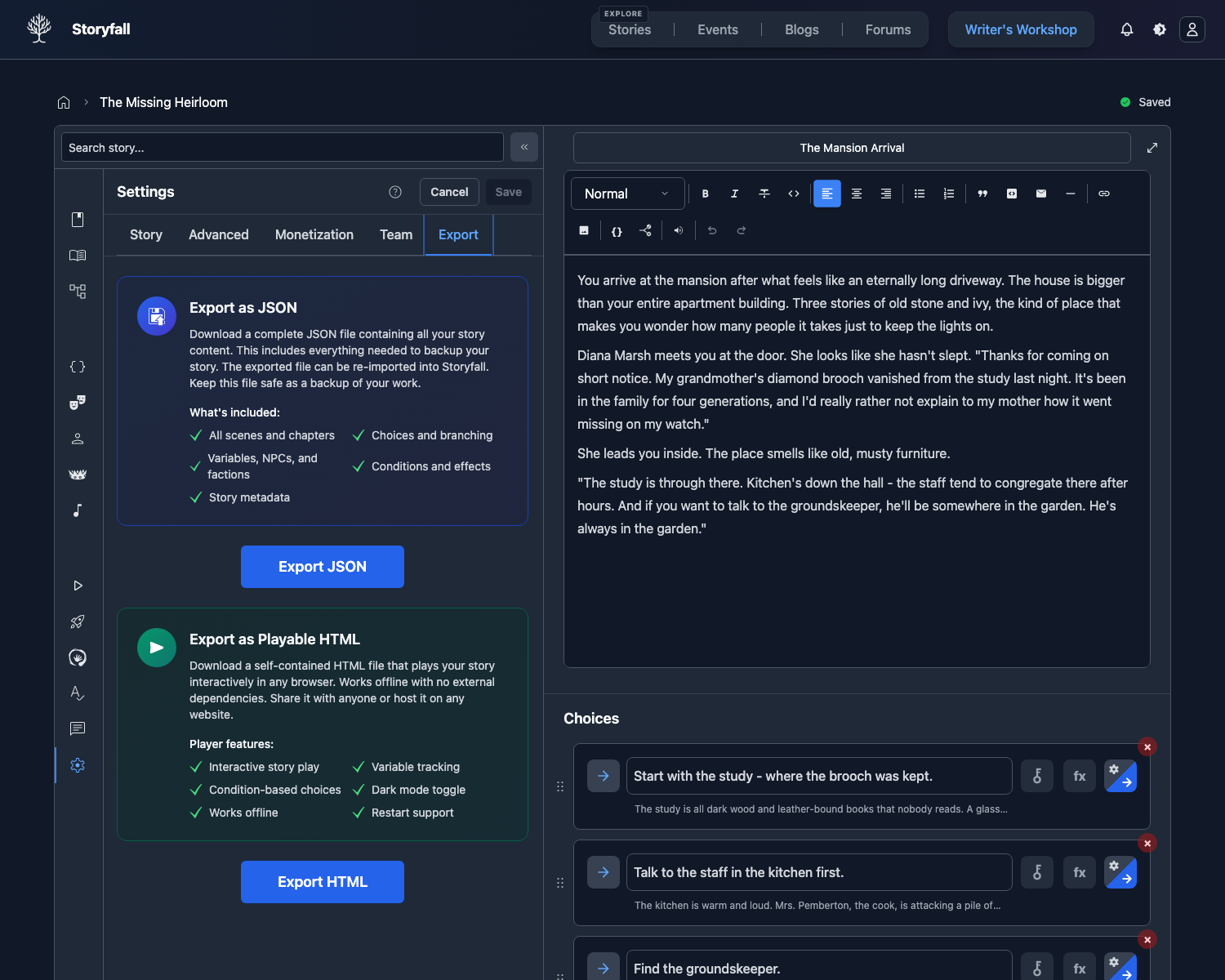
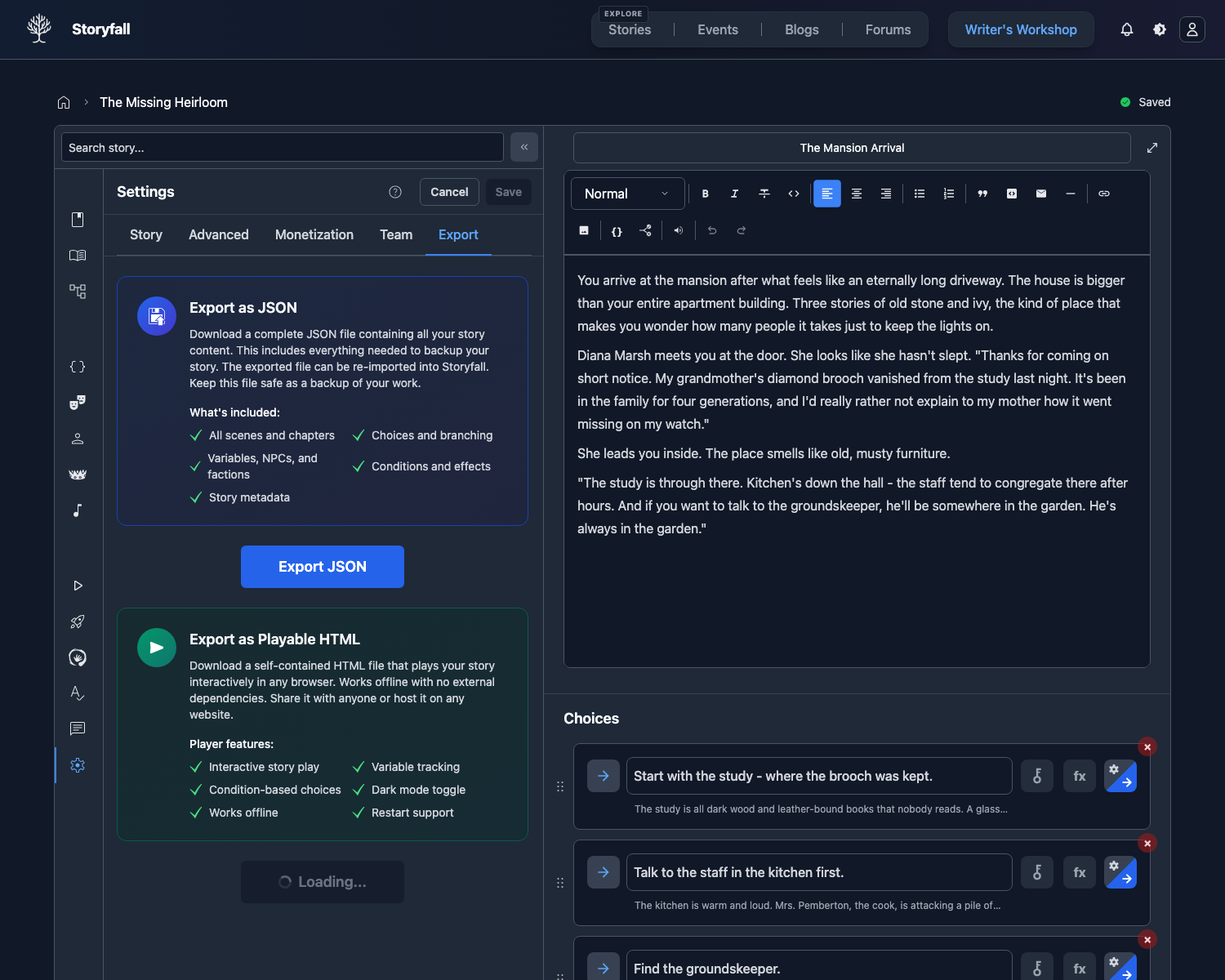
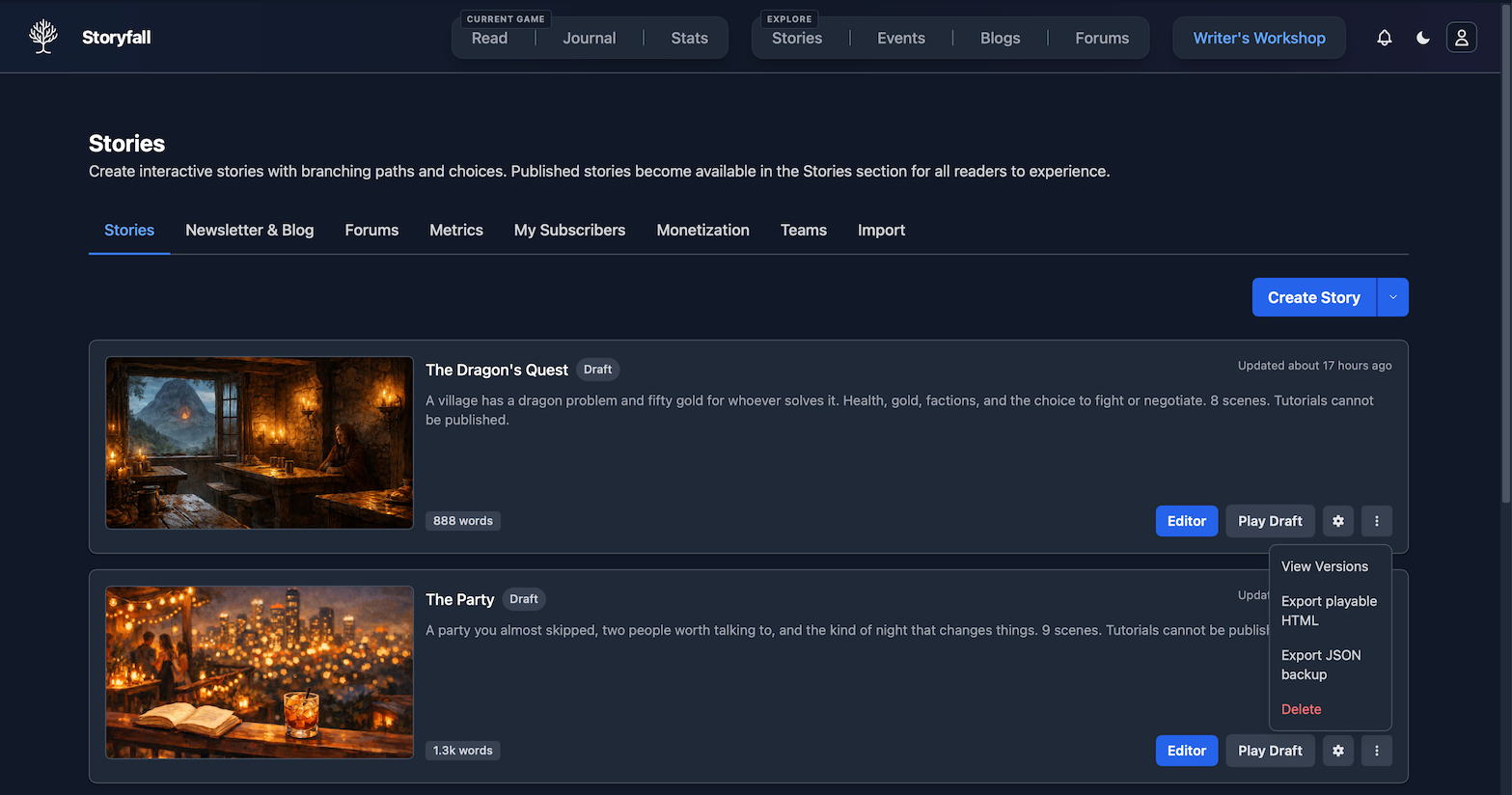
The export uses your current draft content, so make sure your latest edits are saved before exporting.
To change the byline shown inside downloaded HTML files, open the Export tab in Story Settings and fill HTML Export Author Name before you export. The field saves automatically. Leave it blank to use your Storyfall profile name. This only changes HTML exports; Storyfall web play and native apps keep using your linked profile.
The game engine is embedded in the exported file. Existing downloaded HTML files do not update automatically when Storyfall’s engine changes, so re-export after important story edits or platform updates. Saves from an older or different export stay in the browser but are hidden from the new file.
Characters
If your story uses Characters, the exported file includes them. Readers see your character selection screen with each character’s name, avatar, and description, exactly as they would on storyfall.com.
When a reader picks a character, the exported player applies that character’s variable defaults, NPC sentiments, faction sentiments, and starting scene before rendering the first scene. Scene and choice character restrictions filter against the selected character. The Set Character effect works mid-story too: it applies the new character’s defaults and routes to that character’s starting scene if one is set.
If Hide Character Selection is enabled and your story has exactly one character, the exported file auto-selects it without showing the screen. With more than one character and Hide Character Selection on, no character is assigned automatically and persona-restricted content stays hidden until something selects a character.
Paid characters are filtered at export time. The HTML file you give to a reader only contains the characters they had access to when they downloaded it (free characters always, paid characters they had purchased through Storyfall). Scene-level and choice-level content gated to paid characters they don’t own is stripped from the file rather than just hidden. Inline text conditions and conditional blocks inside an unrestricted scene are still stored in that scene and hidden at runtime, so don’t put paid-only secrets in an unrestricted scene.
Player Names and Variations
Collect Player Name is on by default. When it is enabled in the Variables panel, the exported file asks the reader for their name before the first scene. The exported player uses your Default Name as the suggested value and checks the Disallowed Names list from Game Settings before starting.
If Collect Player Name is off, the exported file uses your Fallback Name for {playerName}.
Text variations created from the variable menu work in exported files. Random text stays stable during a scene visit but is picked again for a new playthrough, cycle text advances when the reader returns to the scene, and random once text stays fixed for the current exported playthrough.
Language Support
The exported file sets the <html lang> attribute based on the active language. If your story has translations, the export includes them and the reader can switch language at any time from the settings drawer. The current scene re-renders in the new language without contacting Storyfall.
Engine UI labels (Background Audio, Sound Effects, Narration, Volume, Language, Continue, Start Over, Restart Story, Cancel, Close) are translated for English, Spanish, French, German, Portuguese, Italian, Japanese, and Chinese. Stories using other languages keep English chrome while story content is translated normally.
Distribution Formats
Your story exports as one of two files:
| Story has bundled media? | Download | Layout |
|---|---|---|
| No audio, no images | .html | Single self-contained file. |
| Any audio or any image | .zip | index.html plus a media/ folder with the files. Unzip and double-click index.html. |
The split is automatic. There’s nothing to configure.
Limitations
The HTML export is a static snapshot of your story. Some Storyfall features aren’t included:
- No multiplayer - vote-based and cooperative multiplayer require playing on storyfall.com.
- No analytics - play statistics aren’t tracked.
- No Storyfall profile sync - achievements unlock locally in the exported file, but they do not appear on the reader’s Storyfall profile.
- No hand-pasted external URLs - audio or images you paste in from outside Storyfall don’t get bundled and stay as remote references. Storyfall-hosted files always bundle.
- Static snapshot - the export reflects your story at the time of export and doesn’t update if you edit the story later.
- No voice setup without audio - narration voice settings are kept in JSON backups, but the playable HTML export only includes narration audio that can actually play.
For the full interactive experience with all features, publish your story on Storyfall instead.
JSON Backup
In addition to HTML export, you can export your story as a JSON file from the same Export tab. The JSON format is useful for:
- Backup - keep a complete copy of your story data.
- Transfer - move a story between Storyfall accounts using the import feature.
- Archival - preserve your work in a structured, machine-readable format.
JSON backups preserve editor data that playable HTML does not need, including narration voice setup for languages where you have not generated, recorded, or uploaded audio yet. Use JSON export when you want a true backup of the story. Use HTML export when you want a reader-ready offline game.
Next Steps
- Publishing Your Story - Publish on Storyfall for the full experience.
- Importing Stories - Import stories from other formats.
- Sharing Playthroughs - Let readers share their journey through your story.