Characters
Characters are playable protagonist templates. Each character has a name, avatar, description, starting scene, and default variable values.
Overview
Characters let readers play your story from different perspectives. They can be selected on a selection screen before the story begins, or assigned later through choices. Each character can have different starting scenes, stat values, NPC relationships, and faction standings. They can also have exclusive access to certain scenes or choices.
Creating Characters
- Open your story in the Workshop editor.
- Click the Characters tab in the sidebar.
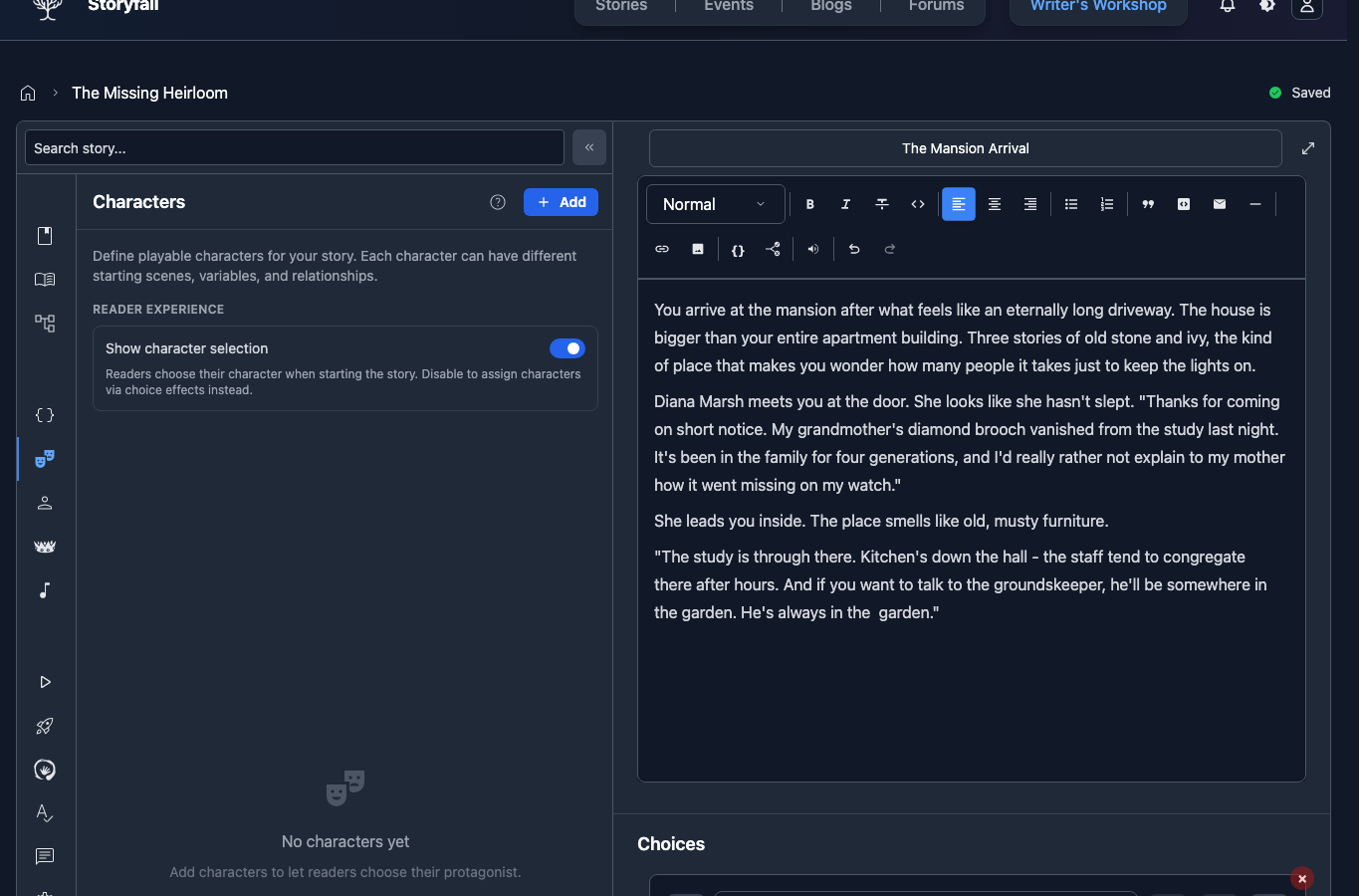
- Click “Add”.
- Fill in the character details.
Character Fields
Name: The character’s display name shown on the selection screen and throughout the story.
Description: A brief summary shown to readers during character selection. Describe the character’s background, personality, or playstyle.
Avatar: Upload an image to represent the character. This appears on the selection screen and in the game interface.
Starting Scene: Choose which scene this character begins at. Different characters can start in different parts of your story.
Per-Character Variable Defaults
Each character can override the default values of your story’s variables. This lets you create characters with different starting stats without duplicating content.
Setting Variable Defaults
Select a character in the Characters panel.
Scroll to the Variable Defaults section.
For each variable, enter a custom starting value for this character.
Leave a variable blank to use the story’s global default.
Example
If your story has a strength variable with a global default of 5:
- Warrior character might override it to 8.
- Mage character might override it to 3.
- Rogue character might leave it at the default 5.
NPC Defaults
Characters can also have different starting NPC sentiment values. A character who is friends with a particular NPC might start with a higher sentiment, while another character starts as a stranger.
Faction Defaults
Similarly, faction relationships can be customized per character. A noble character might start with high standing in one faction and low standing in another.
Restricting Content to Characters
Scene Restrictions
You can restrict scenes so they’re only accessible to specific characters. Click the Characters button in the scene editor toolbar and select which characters can access the scene. Readers playing as other characters won’t encounter that scene.
When you create a new scene, it automatically inherits the character restrictions from the scene you were previously editing. This saves time when building out sections for a specific character.
Choice Restrictions
Choices can also be restricted to specific characters. Click the character icon on the choice and select which characters can see it. This lets you offer character-specific options without creating entirely separate story branches.
The Set Character Effect
The Set Character effect lets you switch the active character mid-story. When triggered through a choice effect, the reader’s character changes to the specified character. This is useful for:
- Stories where the player controls multiple characters at different points.
- Transformation sequences.
- Unlocking new characters as the story progresses.
- Letting readers pick their character later in the story once the scene has been set.
If the selected character has a Starting Scene, Storyfall moves the reader there when they have access to that scene’s chapter. If that chapter is not available to the reader yet, the character switch and default values still apply, but the reader stays on the current scene.
Character Selection Screen
If enabled, readers see a character selection screen when they start your story. You can disable this if you’d prefer to assign characters later using the Set Character effect. The selection screen displays:
- Each character’s name, avatar, and description.
- A select button for each character.
- If name collection is enabled, a name input field after selection.
Readers pick a character, optionally enter a name, then begin playing from that character’s starting scene with that character’s variable defaults applied.
Character Pricing
You can optionally set prices on individual characters to sell premium characters within your story. This is configured in your story’s Monetization settings in the Workshop. See the Monetization docs for full details on character pricing.
When a character has a price, readers see all characters on the selection screen but must purchase paid ones before they can play as them. Free characters remain immediately available.
Characters in HTML Export
Characters are included in HTML exports. The exported file shows the same selection screen, applies the same defaults on selection, honors Hide Character Selection, and runs Set Character effects mid-story. Paid characters are filtered to what the reader had purchased at export time, so the exported file only contains characters they had access to. See the HTML Export docs for details.
Next Steps
- Variables & Conditions - Set up the stats and conditions your characters use.
- Input Choices - Collect player names and text input.
- Editor - Organize scenes for your character-driven story.
- Monetization - Set prices on characters and stories.
- Publishing Your Story - Share your multi-character story with readers.