

How to make interactive fiction
A branching story becomes manageable when you separate the work into scenes, decisions, state, and tests. Start small enough to finish every path before you add another one.
1. Pick a premise with a decision in it
An interactive premise needs more than an interesting setting. Give the player a problem, a role, and at least one decision that changes what happens next. Keep the first project short: one central problem, three to six important decisions, and a few endings you can test by hand.
Example made for this guide: the player reaches a locked observatory before a storm. They can repair the door, climb to the roof, or ask the caretaker for help. Each route reveals different information before the same deadline.
2. Map scenes before writing all the prose
Write each scene as a card with a purpose. Note what the player learns, what can change, and which choices leave the scene. Connect the cards with arrows. If a scene has no incoming path, it is unreachable. If it has no ending or outgoing path, decide whether that dead end is intentional.
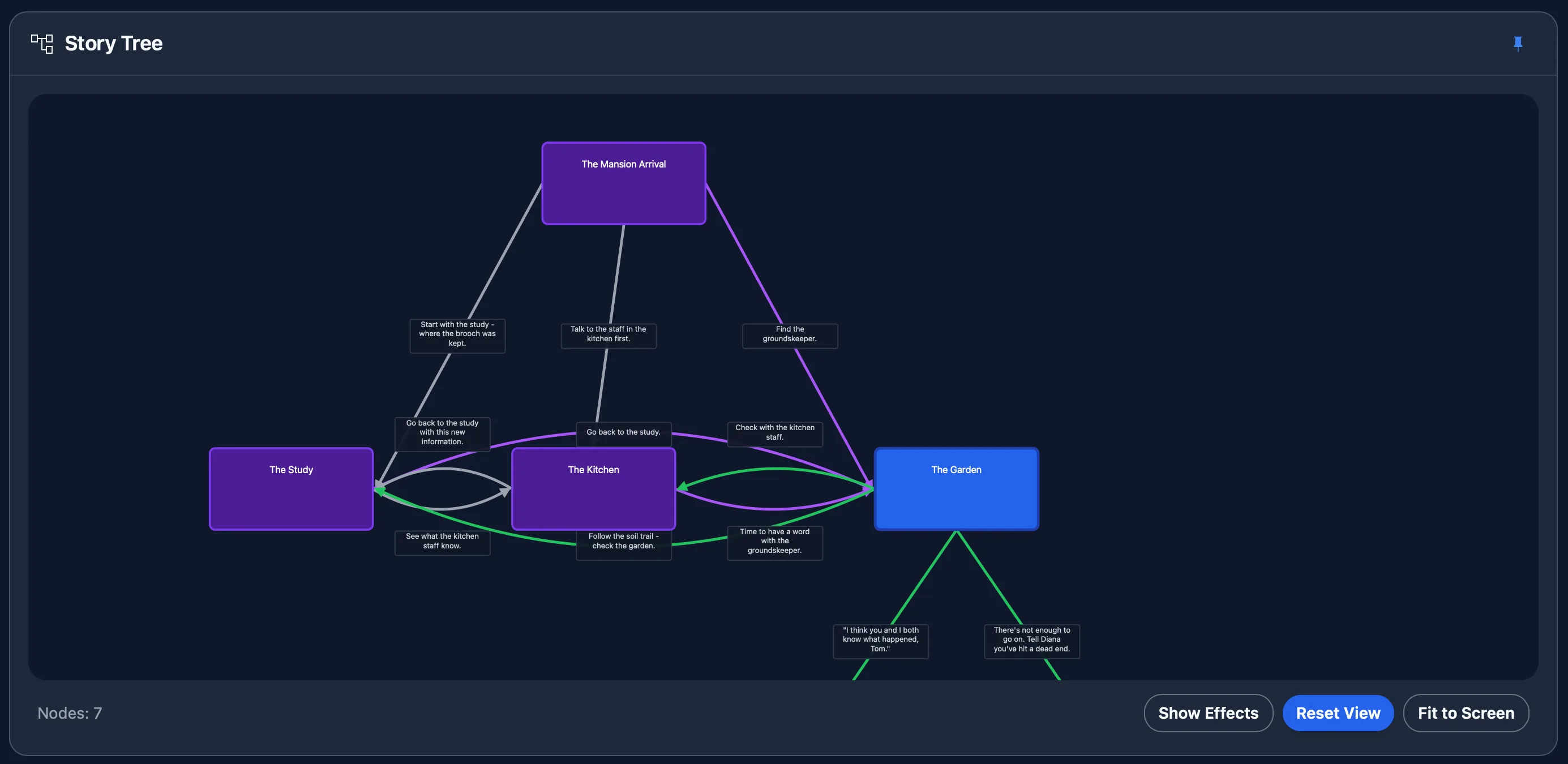
Do not write a separate full-length story for every choice. Let branches diverge where the consequence matters and converge when they have done their job. A branch can change knowledge, resources, relationships, or tone even if two routes later meet in the same scene.
3. Decide what the story must remember
Use state only when a later scene needs it. A boolean can record whether the player found the roof key. A number can track time or trust. A tag can mark an item or relationship. Name each value after the fact it represents, then write down its starting value and every place it changes.
In the observatory example, minutes_left falls after each
detour and caretaker_trust rises when the player returns a borrowed
tool. The final scene checks both values. This creates a consequence without
needing a separate copy of every later scene.
4. Write choices that tell the player enough
A choice should make the immediate action clear. It does not need to reveal every consequence, but the player should understand what they are choosing. "Climb to the roof" is more useful than "Take the risky option." If the character knows a route costs time or requires a tool, let the player know too.
Give meaningful options different goals, costs, or values. Two lines that produce the same response can still help with role-playing, but do not present cosmetic wording as though it changes the plot.
5. Build a playable slice early
Implement the opening, one decision, and the scenes immediately after it before filling the whole outline. Play that slice. Check that every choice reaches the intended scene and every variable changes once. This catches structural mistakes while they are still cheap to repair.
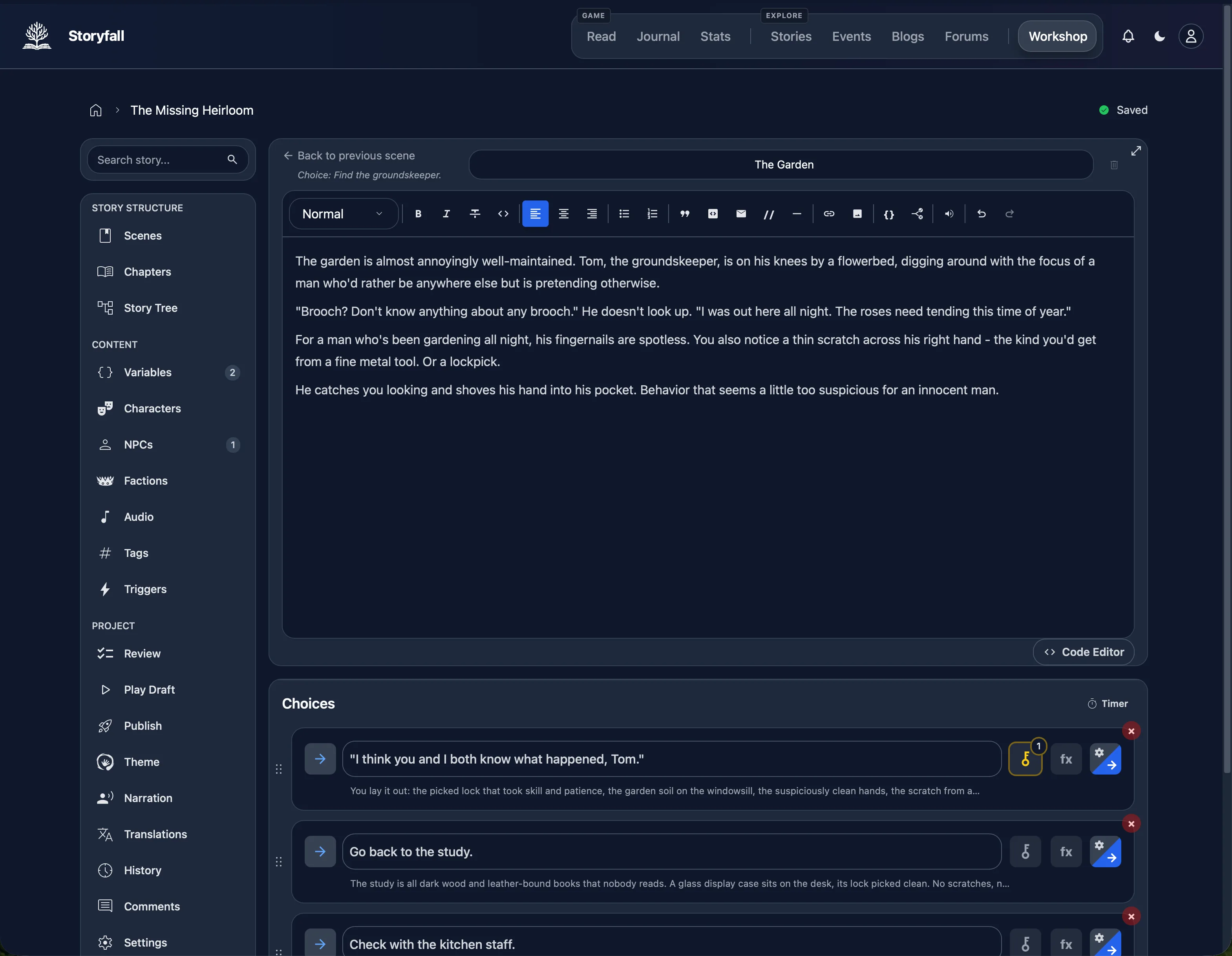
6. Test routes, state, and endings
Use a route checklist rather than clicking at random:
- Play each first-level choice at least once.
- Reach every ending from a fresh start.
- Test the lowest and highest useful value for each number.
- Try conditions both when they pass and when they fail.
- Look for unreachable scenes, accidental loops, and choices with no destination.
- Restart and confirm old state does not leak into a new playthrough.
Keep a simple table with the route, expected state, expected ending, and result. A story tree can expose structural gaps, but only a playthrough proves that the wording, conditions, and pacing work together.
7. Publish, share, or export
Before release, check the title, description, opening scene, credits, content warnings, and every public link. Decide whether you want a hosted story, a file you distribute yourself, or both. Save a separate backup before major edits, even when your tool keeps version history.
Storyfall can host a published story and can export a playable HTML file or JSON backup. Other tools use different formats, so choose this step before committing to platform-specific features.
A compact first-project checklist
- One problem the player can state in a sentence.
- Three to six decisions with visible immediate actions.
- A scene map with no unexplained dead ends.
- Only the state values later scenes actually use.
- A route table covering every ending and condition boundary.
- A backup and a clear publication or export destination.